The premier offline engineering platform for XR developers, robotics engineers, and spatial computing architects. Master 6-DoF Visual-Inertial Odometry, diagnose real-time tracking pipelines, conquer FAANG-grade technical interviews, and earn verifiable industry credentials.
Standardized against Khronos Group specifications, academic computer vision literature, and technical interview benchmarks from Meta Reality Labs, Apple Vision Products, and Niantic.
Engineered around industry standards, academic foundations, and real technical interviews at top spatial computing firms.Clear mental models without noise: Ronald Azuma's 3 Pillars of AR, Optical See-Through (OST) vs Video See-Through (VST).
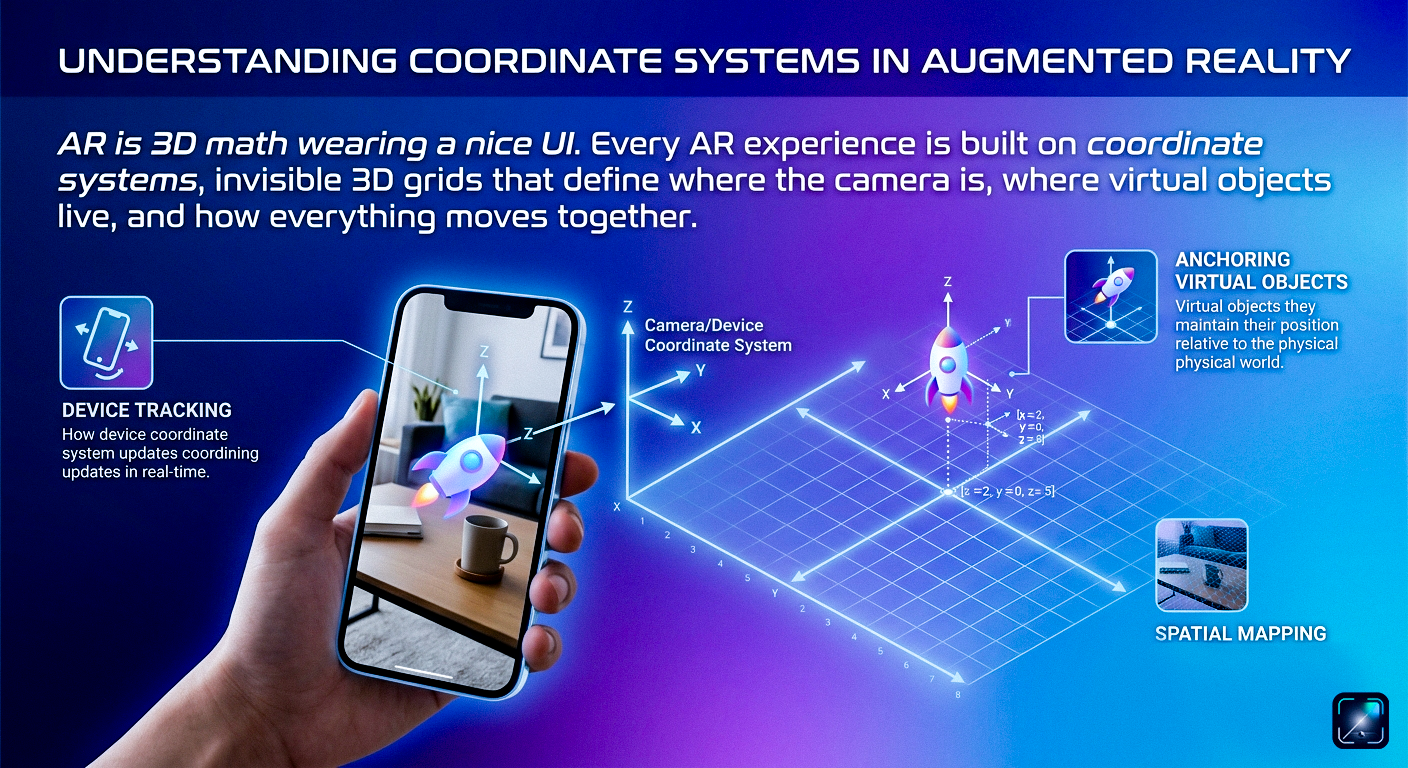
Master the spatial math essential for XR: World frame, Camera frame, Local frames, Quaternions, and 4×4 affine transformation matrices.
Architectural principles of tracking, digital registration, camera calibration, and the hardware constraints of modern spatial headsets.
Simultaneous Localization and Mapping under the hood. Visual-Inertial Odometry (VIO), Kalman Filtering, Bundle Adjustment, and the AR Cloud.
The Khronos OpenXR standard, cross-platform Unity AR Foundation, native iOS ARKit, and Android Google ARCore APIs compared in detail.
Designing interfaces for 3D space: Ergonomic comfort zones, vergence-accommodation conflict, gaze interactions, and spatial audio cues.
Production profiling: Thermal throttling, draw-call budgets, occlusion culling, tracking drift mitigation, and GPU rendering pipelines.
Bridging Flutter with native AR capabilities: Android PlatformViews, iOS UiKitView, MethodChannels, and reactive state management.
Frictionless 3D previews: Android Scene Viewer intents, Apple Quick Look USDZ integration, and the modern browser WebXR Device API.
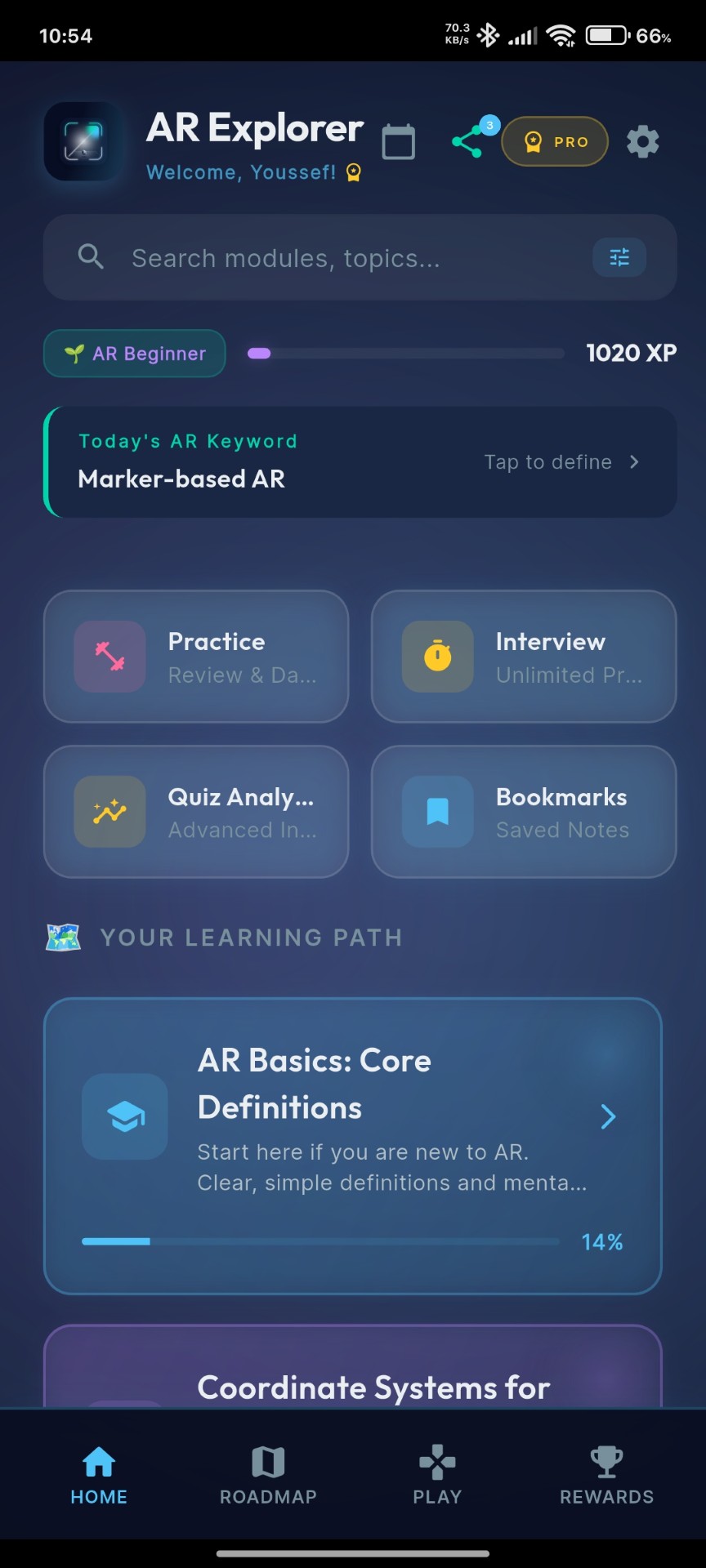
Inspect real telemetry, structured lesson readers, and diagnostic sandboxes directly from the production Android client.
Build muscle memory with on-device daily keyword breakdowns, streak persistence, and real-time XP telemetry tracking your trajectory from XR Initiate to Principal Architect.
Bridge theoretical mathematics with real-world spatial execution. Validate sensor fusion algorithms, inspect camera frame buffers, and simulate 60 FPS mobile constraints inside dedicated interactive sandboxes.
Diagnose common spatial tracking failures in real-time: black camera feeds, sensor permission deadlocks, depth buffer mismatches, and severe anchor drift under feature-sparse environments.
// Scenario: Camera Feed Black Screen & Pipeline Stalls
if (!ARSession.isSupported) fallback2D();
session.requestCameraPermission().then(initPoseBuffer);
Visualize FAST corner extraction, optical flow vectoring, and Kalman-filtered IMU dead-reckoning. Discover how keyframe triangulation and loop closure enforce drift-free tracking.
// Extended Kalman Filter (EKF) Sensor Fusion
Eigen::Matrix4d pose = EKF.update(opticalFlow, imuDelta);
map.triangulateKeyframePoints(pose);
Implement production code directly on mobile: bind Vuforia DefaultObserverEventHandlers, configure ARKit ARWorldTrackingConfigurations, and resolve Google Cloud Anchors asynchronously.
public class MarkerHandler : DefaultObserverEventHandler {
protected override void OnTrackingFound() { BindPoseAnchor(); }
}
Calculate raycast hit-test planes, calculate camera-relative Euler-to-Quaternion transformations, and tune spatial interaction thresholds within strict 16.6ms frame budgets.
Vector3 targetAnchor = raycastHit.pose.position;
Quaternion orientation = Quaternion.LookRotation(cameraDir);
Instantiate(spatialPrefab, targetAnchor, orientation);
Over 50 rigorously engineered assessment scenarios covering real-time computer vision, epipolar geometry, quaternion kinematics, and mobile frame-budget constraints.
5-minute challenge evaluation windows with latency penalty tracking and proof-of-work validation.
Granular benchmarking across SLAM, sensor fusion, spatial audio, and cross-platform OpenXR.
In-depth mathematical rationales including Quaternion SLERP derivations and transform matrices.
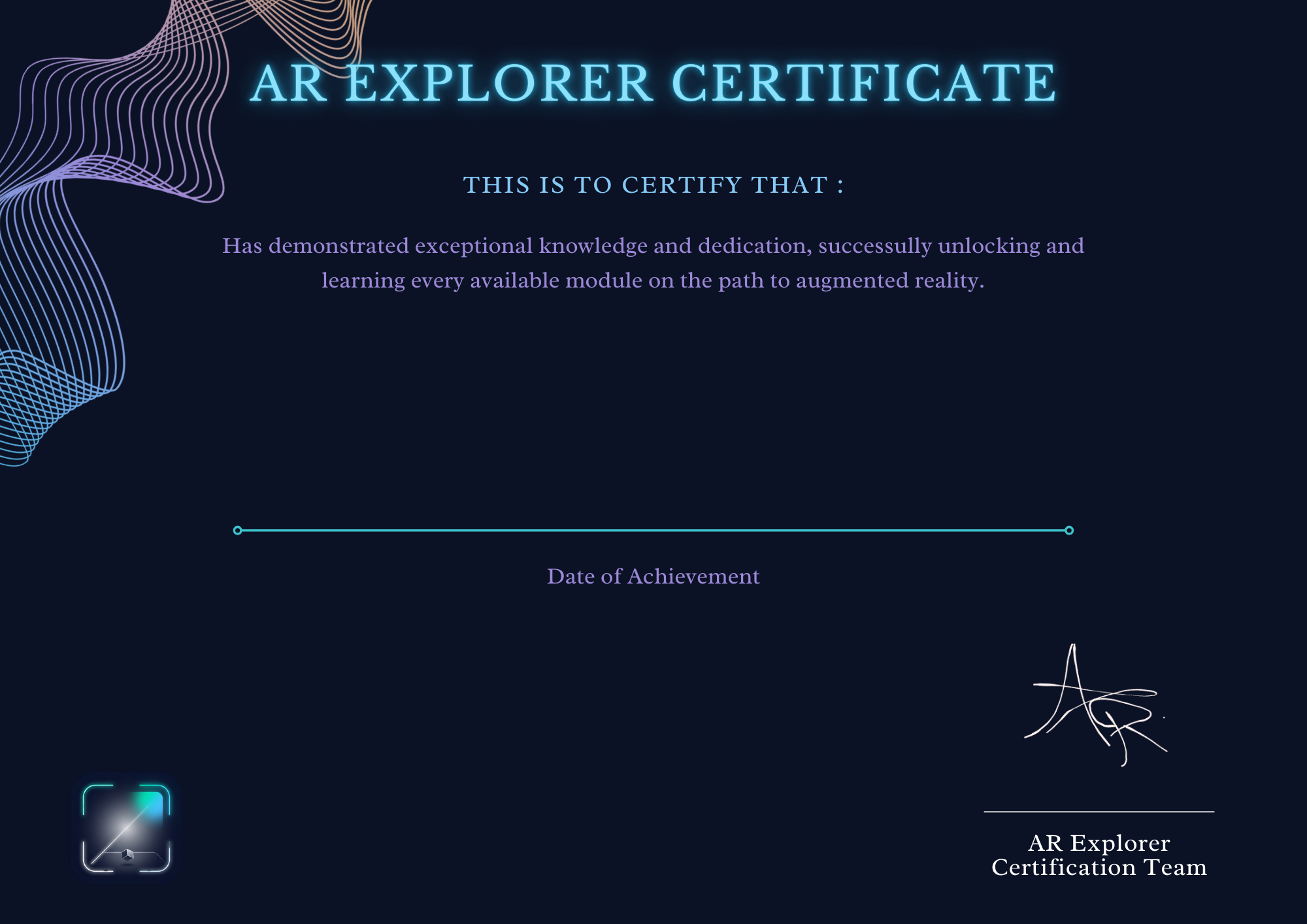
Validated proof of technical competence. As you complete modules and conquer interview challenges, unlock cryptographically verifiable credentials exportable as high-resolution vectors and PDFs for engineering portfolios.
Unlike generic course certificates, AR Explorer credentials require passing practical code challenges, high-score quiz requirements, and timed interview questions.
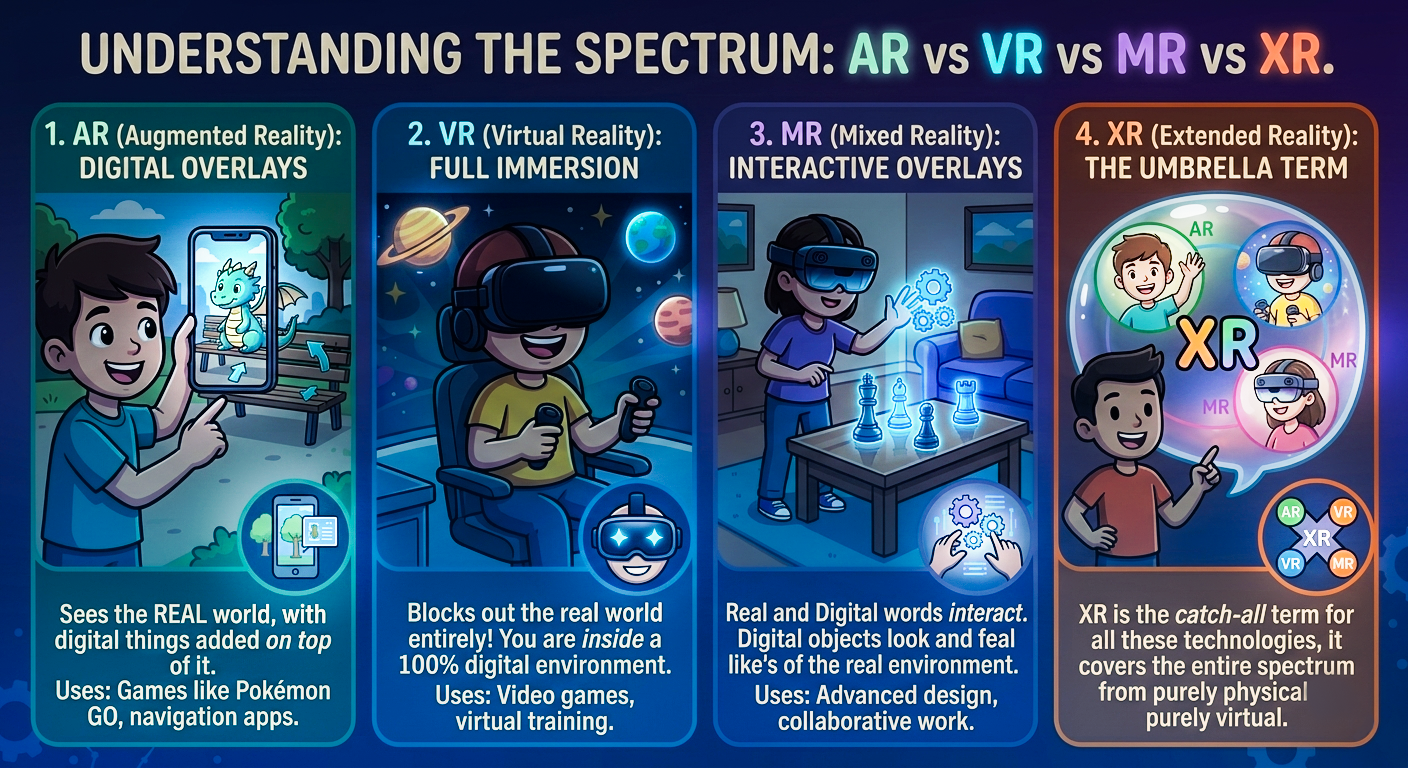
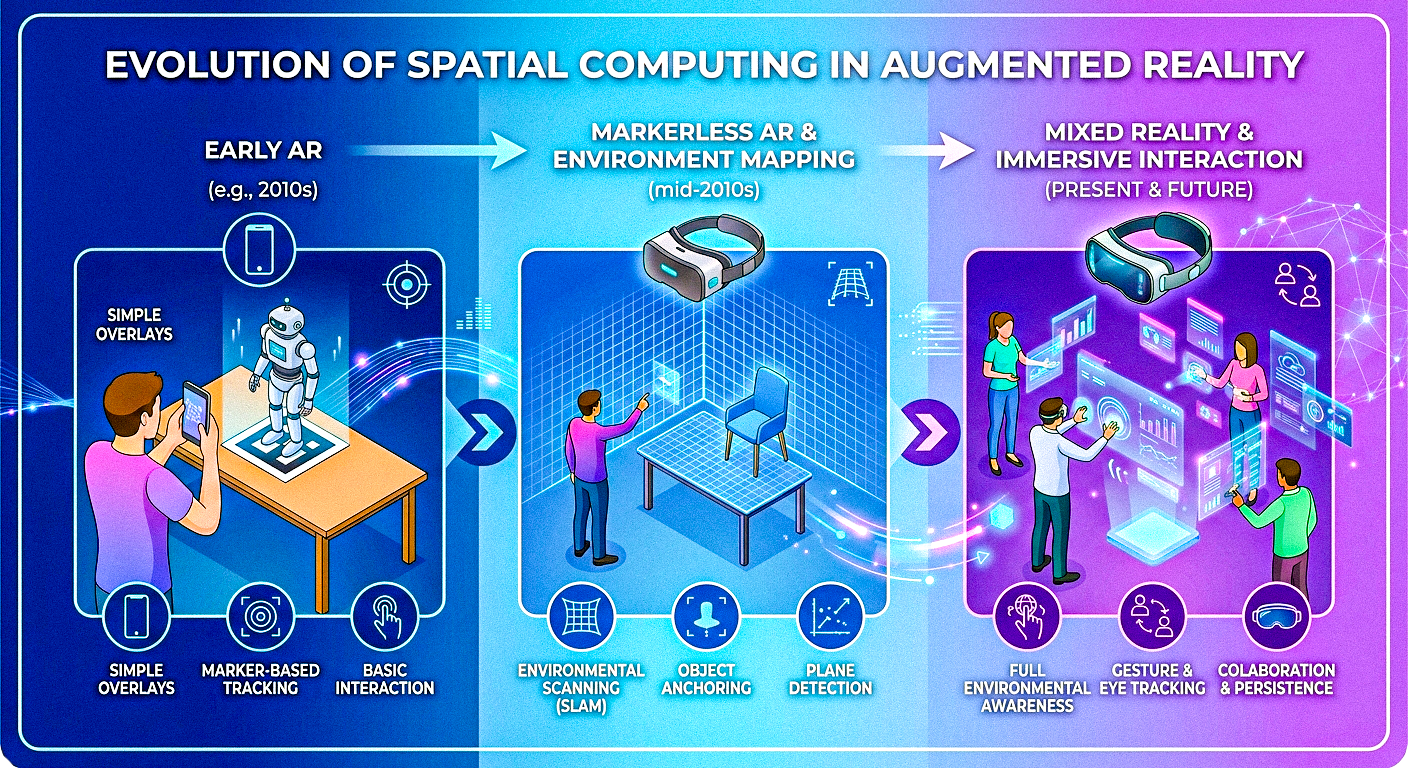
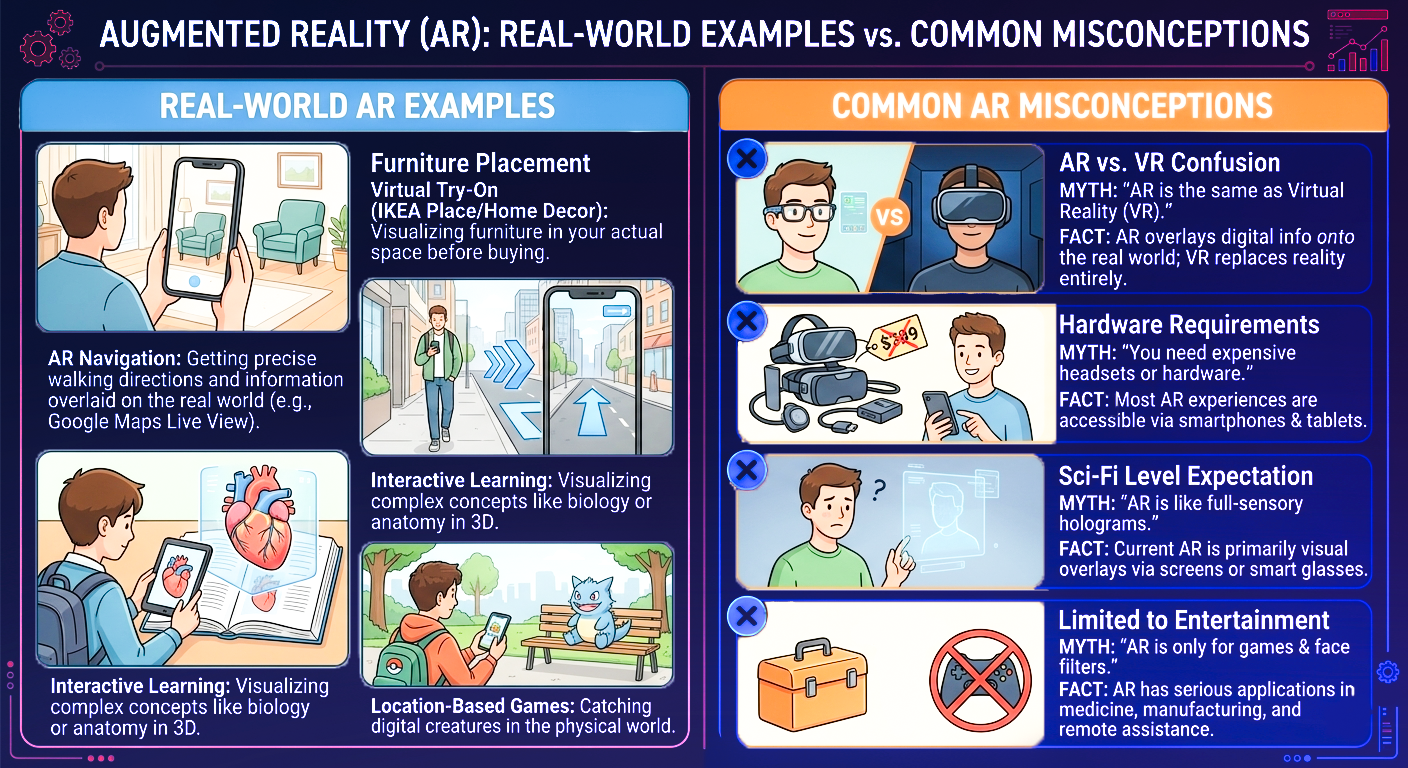
Complex topics visualized with clarity. Click on any infographic below to view high-resolution diagrams directly from the application.
Your engineering training environment should never be gated behind an internet connection, third-party authentication, or telemetric data harvesting. AR Explorer is completely self-contained.
Deploy anywhere: cleanrooms, aircraft, transit, or remote facilities. All 9 modules, code exercises, and simulators execute purely on-device.
Zero credentials to manage, no telemetry collection, and no subscription paywalls. Instant access to full engineering documentation.
Your technical notes, benchmarks, quiz scores, and progression telemetry remain strictly within on-device encrypted storage.
Answers to common questions about our curriculum, interview prep, offline support, and certifications.
Install the complete spatial computing curriculum on Google Play. Zero subscriptions or paywalls required to master the foundational pillars of augmented reality.
Install on Google Play